
I’d like my blog readers to by notified by email whenever there’s a new post on my blog. Is there an easy way to do this?
I answered this question a couple of days ago, but have come across another option which sounds a lot better than my previous answer. It’s a service called Zookoda which is designed specifically for bloggers. It offers a range of different services you can choose to use to keep your users and readers informed of what’s going on. Here are some great features that might tempt you to give it a try:
- You get tools to manage email newsletter subscribers. They can sign themselves up and opt out of the list, but you can also decide who gets the list.
- You can design your own subscription forms.
- You can design your own newsletter that matches your blog design.
- You can schedule recurring broadcasts on a daily, weekly or monthly basis.
- A comprehensive range of reports. You get to view real-time open, bounce, click and unsubscribe data.
- Reach mobile and offline users by emailing blog content in text format.
So .. how does it work. The first step is to register with the website, supply your details and have a look around. Once you decide to go ahead, the first thing to do is to Create a New Mailing List.

All you need to do is supply a name and description and you’re set. The next step is to create a subscription form for your mailing list. This is what the form looks like:


If you click on the image you’ll see all the fields in greater detail. There are quite a few fields there, but the ones that look complicated have a default value. For your initial try, just keep all the defaults in place, just to see how it works. Once you have filled in the form, you get to choose the look and feel for your form. You will be presented with a screen like this:
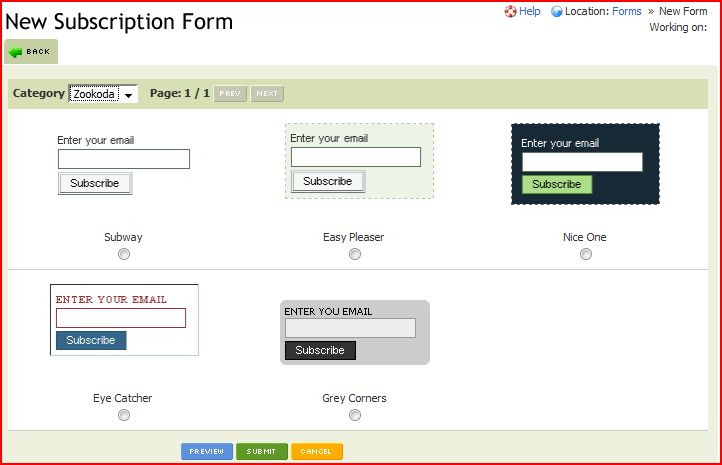

Pick the one that matches your blog most closely. Once this is done, you’ll be shown back to the Subscription Form screen. Just click on the Scripts button and the site will show you the code you need to add the mailing list to your website.
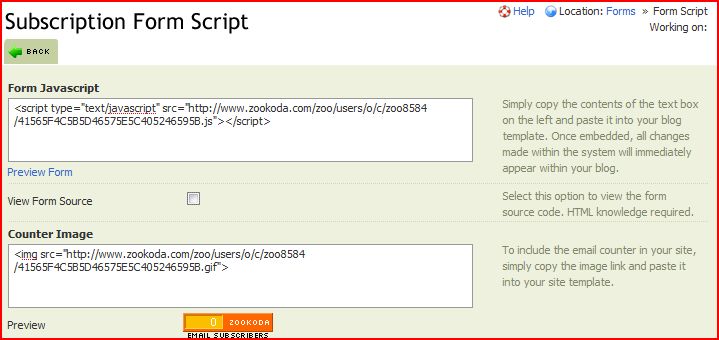

Just copy out the code you need and paste it into your blog. I’ve just added one to the sidebar on the right. Give it a try!

I like the idea of these functions.