
I’m a real big fan of GPS and integrating it with different applications. I’ve been playing with Twitter’s new geolocation capabilities, but want to know if I can clear out all the location data to protect my privacy. And feedback would be appreciated.
It’s nice to get a question on something as current as Twitter’s new location based services. I haven’t had much chance to play with them myself, not having a client that uses the new API functionality, but I have been keeping an eye on the progress they have been making and how it all works. Here’s what you need to do to clear your tracking information.
Head to your Twitter Settings page and midway down the page you should see your Geolocation preferences. The look something like this:
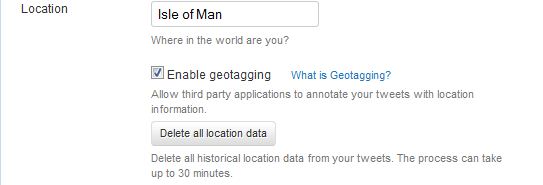
You’ll notice a button that gives you an option to “Delete location data”. All you need to do is click this, accept the confirmation dialogue and your data will be cleared out. So, if you’ve run away from one and taken one of those Orlando vacations, you can now hide your tracks and no one will even know.
